Two New Features:
- Managed through YL Connect
- Health Forms now accessed with Last Name & Birthdate vs. Registration & Access ID
How to Access Health Forms in YL Connect
How to Access Health Forms in YL Connect
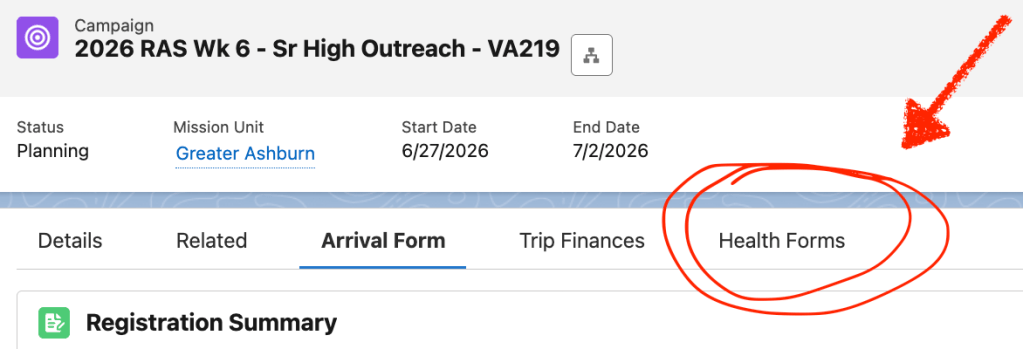
- Navigate to specific Campaign (Camp Trip or Event) in YL Connect
- Click on the “Health Forms” tab
Process

- Confirm/Edit Involvement Roles – “Participant” is NOT an accepted role
- Health Forms cannot be copied. If Participants (Staff, Leaders, Work Crew, Summer Staff, Campers etc) are on multiple trips, they will need to complete multiple health forms.
- If paper health forms are collected, they will have to be entered into YL Connect one at a time.
Resources
Step-by-Step Instructions in YL Connect Camp Learning Guide (pg.65-69)
Staff Guide: Parent/Participant Experience
- See what they see
- A clear look at the registration process from the parent’s view
- Help when they’re stuck
- Quick answers for parents who have questions or technical issues.


Leave a Reply